
Steps
1. Create a User
- Go to the SQL Console
- Create a user named
KUBIT. The Kubit team will generate and share a strong password which you should use to create the user.
2. Create Roles
-
Create a role named
KUBIT_R -
Create a role named
KUBIT_W
3. Create a Database
Create a database namedKUBIT_DB
4. Grant Permissions
- Grant
KUBIT_Wthe permissions to read and write fromKUBIT_DBdatabase. This will allow us to create any auxiliary tables or views there
- Add read-only (SELECT) permissions to the
KUBIT_Rrole to the intended tables/views andKUBIT_DB
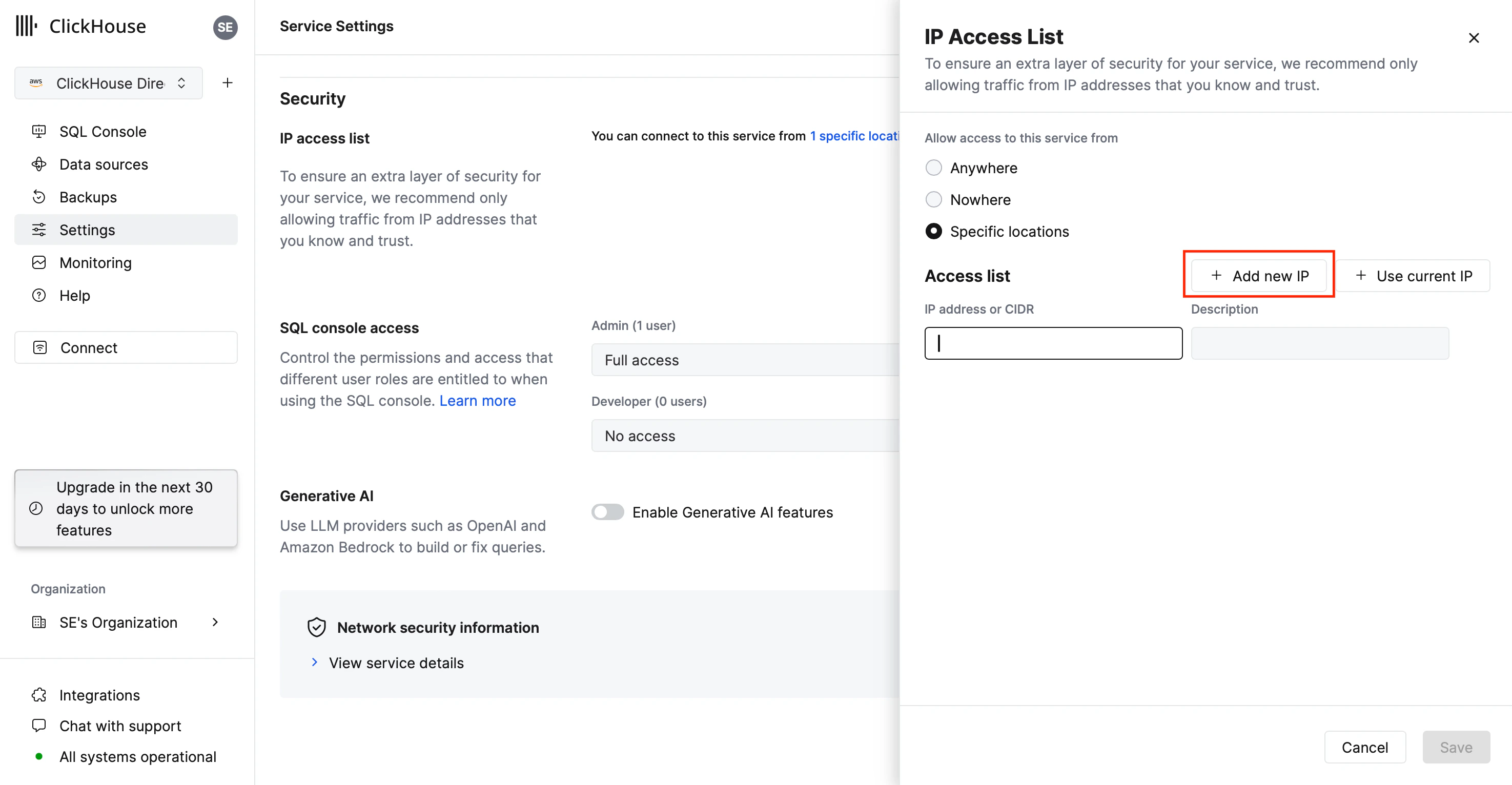
5. Setup IP Whitelisting
Here’s the list of Kubit’s IP addresses to allow.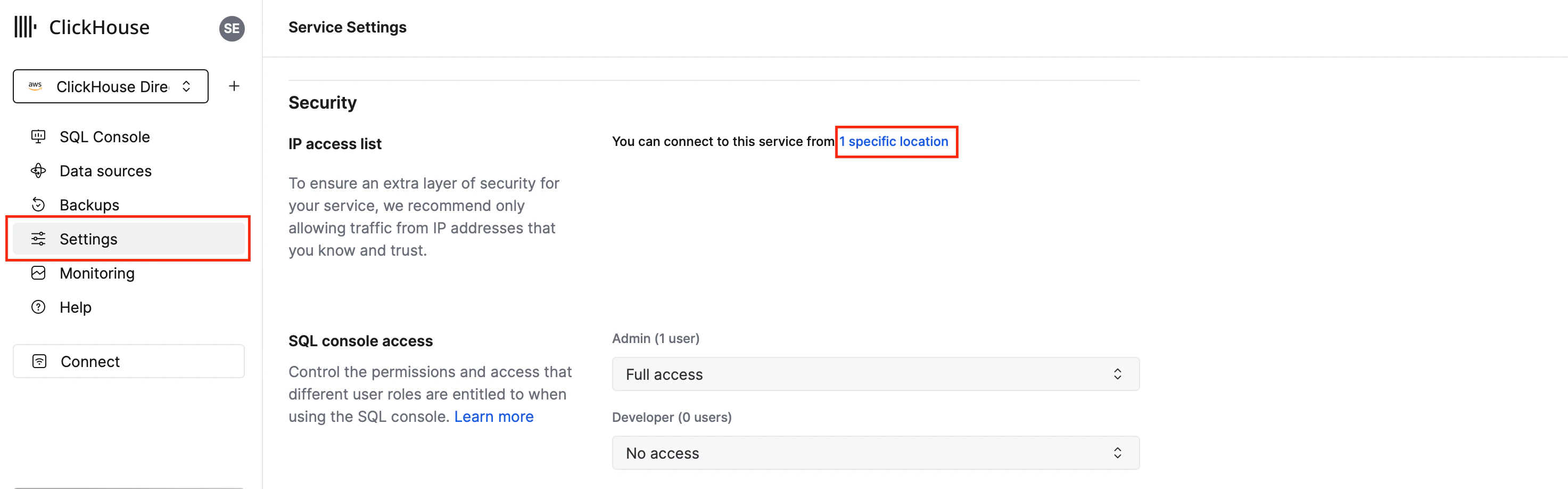
Best Practice
Create one more user, roles and service for development purposes in order to isolate the impact on the production environment and avoid accidents.What’s Next